Overview
Processing the Payment for a Quick Sale is four system activities happening in quick succession:
- An AR invoice,
- Customer payment,
- Payment application to the AR invoice,
- And a Customer Refund for the change (when there's an overpayment).
- Where the account is assigned
Payment Processing Steps
Each Debit/Credit has an equal and offsetting Debit/Credit at a later stage, as indicated by the colored blocks below.
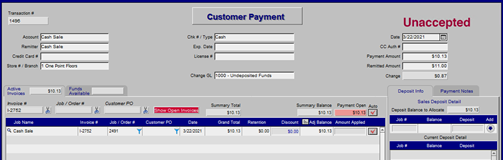

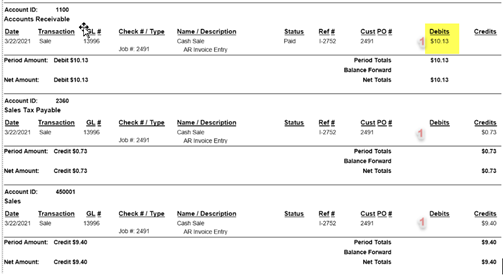
In this example, I had a Quick Sale for $10.13 and the client handed $11.00 over the counter.
The process from beginning to end looks like this:
Steps 1-4: General Ledger Postings
And those Undeposited Funds appear on the Bank Deposit like so:
Step 5: Bank Deposit Gets Accepted and Posted
Mapping Default GL Account Setup
Navigate to the admin area and open the store information component. Open the store you want to change.
Map the appropriate GL account to the "GL Reimbursement Account" field.
Training-v22b10-20231012BG-KB